Access control — views, groups, and users
Once a user is authenticated, what they can see inside AlignAI is controlled by a group-based access model:
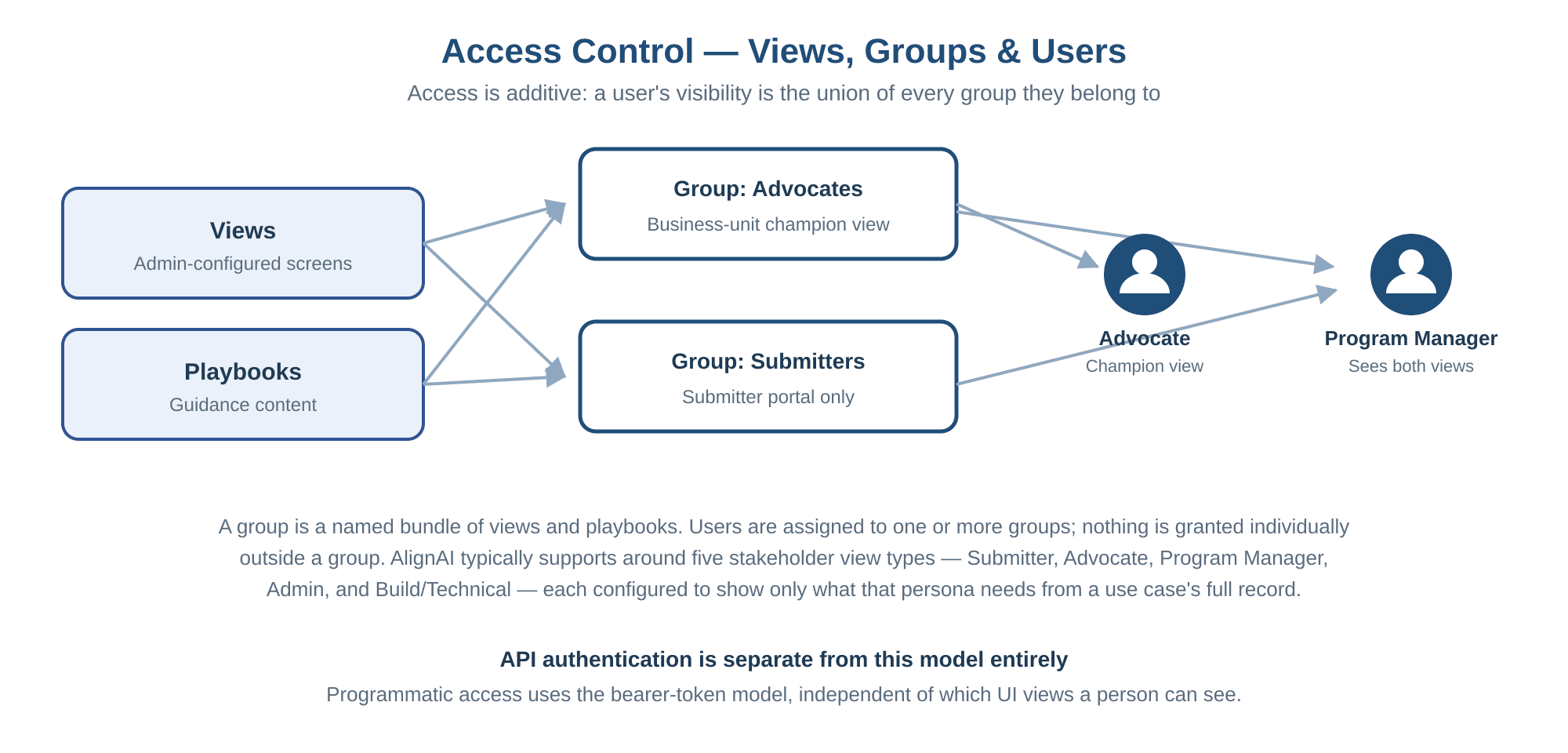
- Views are admin-configured screens, each scoped to a specific persona’s needs rather than showing the full underlying record. AlignAI typically supports around five stakeholder view types: a Submitter Portal (a simple view for someone tracking only their own submissions and status), an Advocate view (for embedded business-unit champions guiding others through the process), a Program Manager / portfolio view (a single-pane-of-glass across a whole portfolio of use cases, including metrics and lifecycle status), an Admin view (full visibility into a use case’s complete record), and a Build/technical view (oriented around the development handoff). Which views exist and what each shows is configurable — this list reflects a typical setup, not a fixed product limit.
- Playbooks are guidance content, organized the same way.
- Groups are named bundles of views and playbooks — a group might represent a business unit, a review role, a department, or any other segmentation your organization needs.
- Users are assigned to one or more groups. A user’s effective access is the union of every group they belong to — nothing is granted to an individual user outside of a group assignment.
This means two people with the same job title can see different screens if they’re assigned to different groups, and a person’s access can be scoped as tightly or broadly as your admins configure — down to a single view for a single group of submitters, or broad access for an admin group.
Last updated on